Best Emojis for Shorts Hooks
Short-form emoji ideas for stronger opening frames, swipe-stopping captions, and punchier mobile-first edits.
Editorial angle
Short-form hooks have to read in a blink. Emoji help when they behave like impact markers around the first emotional or informational beat.
Shorts, Reels, and TikTok clips are judged almost instantly, so hook emoji should support the opening frame or caption rather than sit far away from it. High voltage, fire, eyes, surprise faces, and mobile-native symbols usually earn their place because they intensify speed, reveal, or emotional contrast.
The goal is not to make the caption louder. The goal is to make the first idea easier to understand while the viewer is still deciding whether to stop scrolling.
Why these emojis work
- • High voltage and fire are useful for speed, intensity, and payoff-based openings.
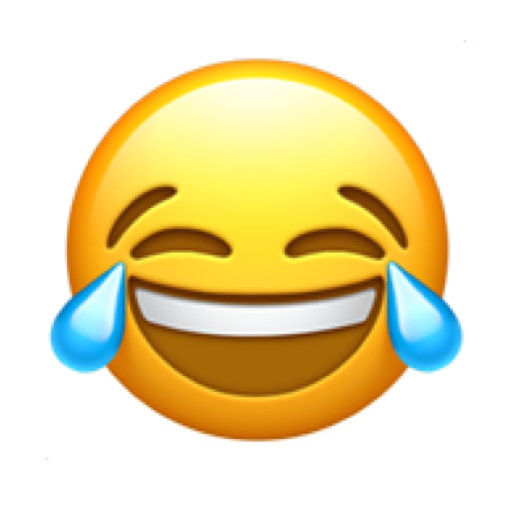
- • Eyes and surprise or laugh reactions work when the first scene is built around reveal, comparison, or shock.
- • Phone-sized viewing makes simple, high-contrast symbols more dependable than detailed or ambiguous ones.
Best emoji picks for this topic
These are the strongest emoji picks for this editorial angle and they map closely to the real-world creative jobs described above.


How pros usually use them
- • Attach the emoji directly to the opening claim or payoff phrase instead of using it as a separate decorative line.
- • Build short-form templates where the emoji appears in the same visual position each time for quicker recognition.
- • If the edit already has fast motion, reduce the emoji count so the frame does not become unreadable.
Research behind this guide
Official guidance used to shape the packaging, scanning, and platform-specific recommendations on this page.
Official guidance used to shape the packaging, scanning, and platform-specific recommendations on this page.
Official guidance used to shape the packaging, scanning, and platform-specific recommendations on this page.
Related pages
Open the gallery to browse more emoji references, filter results, and jump into emoji detail pages.
Compare Apple emoji and Samsung emoji styles across popular faces, symbols, and reactions in one archive view.
Explore how Apple emoji and Google emoji differ across familiar download and comparison searches.
Quick answers
Is this page for downloads or references?
It works best as a reference landing page that helps you move into the most relevant emoji PNG and vendor detail pages.
Should I open the vendor page or the emoji detail page next?
Open the emoji detail page if you already know the specific emoji. Open the vendor page if you are comparing platform styles first.
Does this topic connect to Apple, Samsung, Google, and Microsoft previews?
Yes. The related links on this page are meant to move you into those vendor-specific emoji references when the topic overlaps with platform comparison intent.